Users logged into the same Document ID can see each other’s Presence, Cursors, Comments etc.However, if you want to add another layer of categorization to organize users together, you can use Location.
If a Document is like a house, a Location is like a room within the house.
To learn more about Locations, check out its dedicated section here.
When you reply to a comment, you can @mention other teammates that are added to a User's Contacts List.To learn more about creating a User's Contacts List, read here.
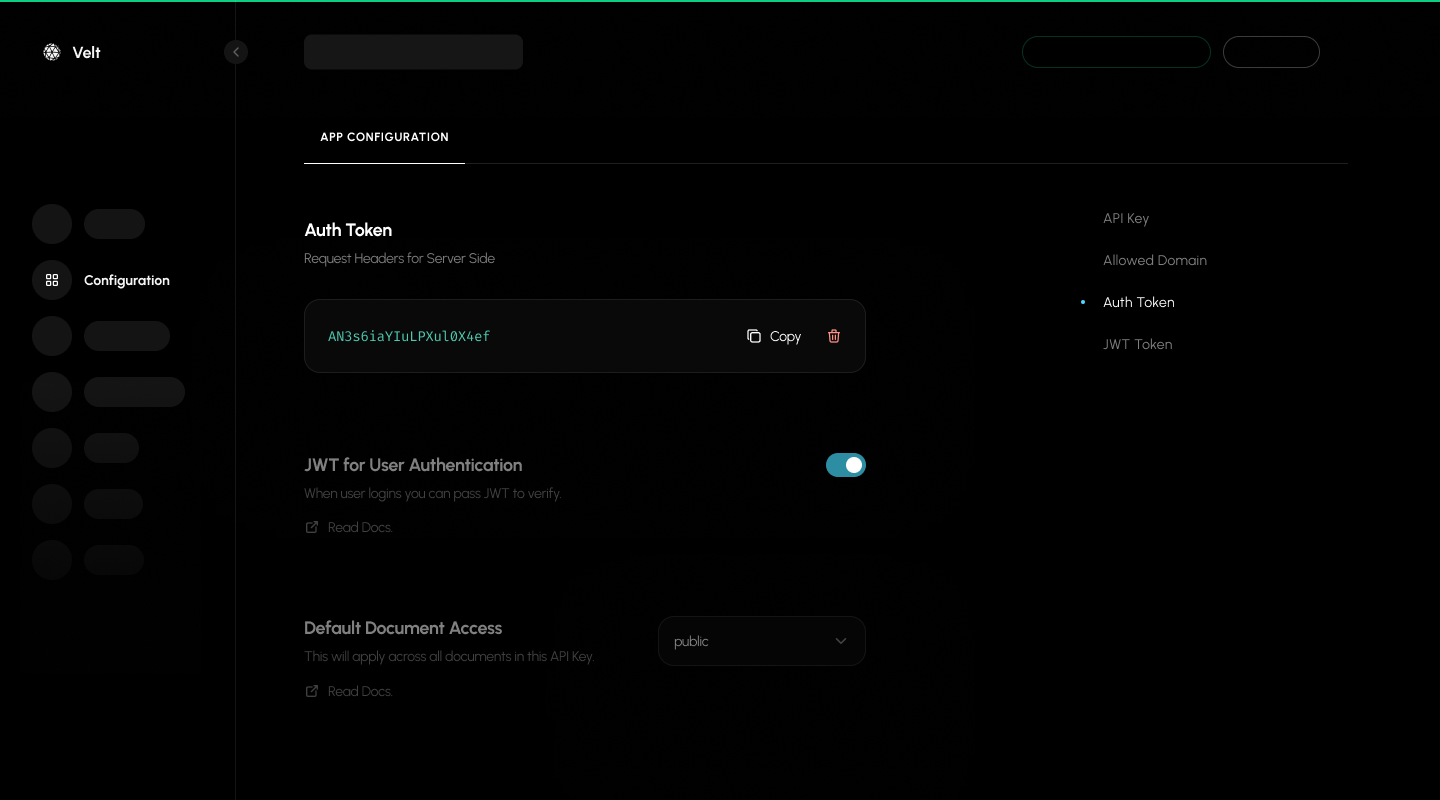
For enhanced security, you can use JWT tokens to authenticate users instead of passing user data directly in the client-side code. This provides an additional layer of security by verifying user identity on the server side.
Access control roles (Editor/Viewer): You can assign a user’s role per resource (organization, folder, document) in the token permissions or via backend access APIs. Editors can create/edit collaboration data (e.g., comments); Viewers are read-only. See Access Control, Generate Token, Add Permissions, and Add/Update Users.
Critical JWT Token Requirements:
JWT tokens must be generated server-side using your auth token from the Velt Console
Never expose JWT tokens or auth tokens in client-side code
Tokens expire after 48 hours and need to be refreshed
Include the JWT token in the authToken field when calling identify()
JWT tokens expire after 48 hours from generation. Handle token expiration by subscribing to the error event and refreshing tokens when needed:
If you configured an Auth Provider on VeltProvider, token refresh is handled automatically. If you authenticate using the identify() method instead, you must listen for token_expired and re-authenticate with a fresh token as shown below.
import { useVeltEventCallback } from "@veltdev/react";export default function AuthComponent() { const errorEvent = useVeltEventCallback('error'); useEffect(() => { if (errorEvent?.code === "token_expired") { // Generate new JWT token from your server fetch("/api/auth/refresh-token") .then(res => res.json()) .then(data => { // Re-authenticate with new token useIdentify(user, { authToken: data.newToken }); }); } }, [errorEvent]); return <div>Authentication Component</div>;}
Security Benefits of JWT Tokens:
Server-side validation of user identity
Protection against client-side data manipulation
Secure user authentication without exposing sensitive data
By default, authentication methods like identify() and setVeltAuthProvider() return null when authentication fails. You can configure these methods to throw errors instead by setting throwError: true in the options parameter.
When throwError is enabled, failed authentication attempts will throw an error that you can catch and handle, providing more control over error handling in your application.
This returns true when both the Velt User and Document are initialized.
React
Angular
Vue.js
HTML
import { useVeltInitState } from '@veltdev/react';export default function MyComponent() { const veltInitState = useVeltInitState(); useEffect(() => { console.log('Velt Init State:', veltInitState); if (veltInitState) { // Velt state is initialized, so user can perform any action here } }, [veltInitState]); return ( <div> {/* Your component content */} </div> );}
Use this method to retrieve a one-time snapshot of essential debugging information about your Velt integration. This includes details like SDK version, API key, user, organizationId, documentId, folderId, version, and locations.
Use this method to subscribe to real-time updates of debugging information about your Velt integration. This includes details like SDK version, API key, user, organizationId, documentId, folderId, version, and locations.
Control the verbosity of Velt SDK console logs. By default, the SDK outputs both informational logs and warnings. Use disableLogs() to suppress logs at different levels.
const { client } = useVeltClient();// Turn off warnings onlyclient.disableLogs();// Turn off all logsclient.disableLogs({ suppressAll: true });// Keep warnings but turn off all other logsclient.disableLogs({ warning: false, suppressAll: true });
// Turn off warnings onlyVelt.disableLogs();// Turn off all logsVelt.disableLogs({ suppressAll: true });// Keep warnings but turn off all other logsVelt.disableLogs({ warning: false, suppressAll: true });